Command palette
Release
Press ⌘K (Mac) or Ctrl+K (Windows/Linux) anywhere in the app to open the command palette. You can also click the Search button at the top of the sidebar.
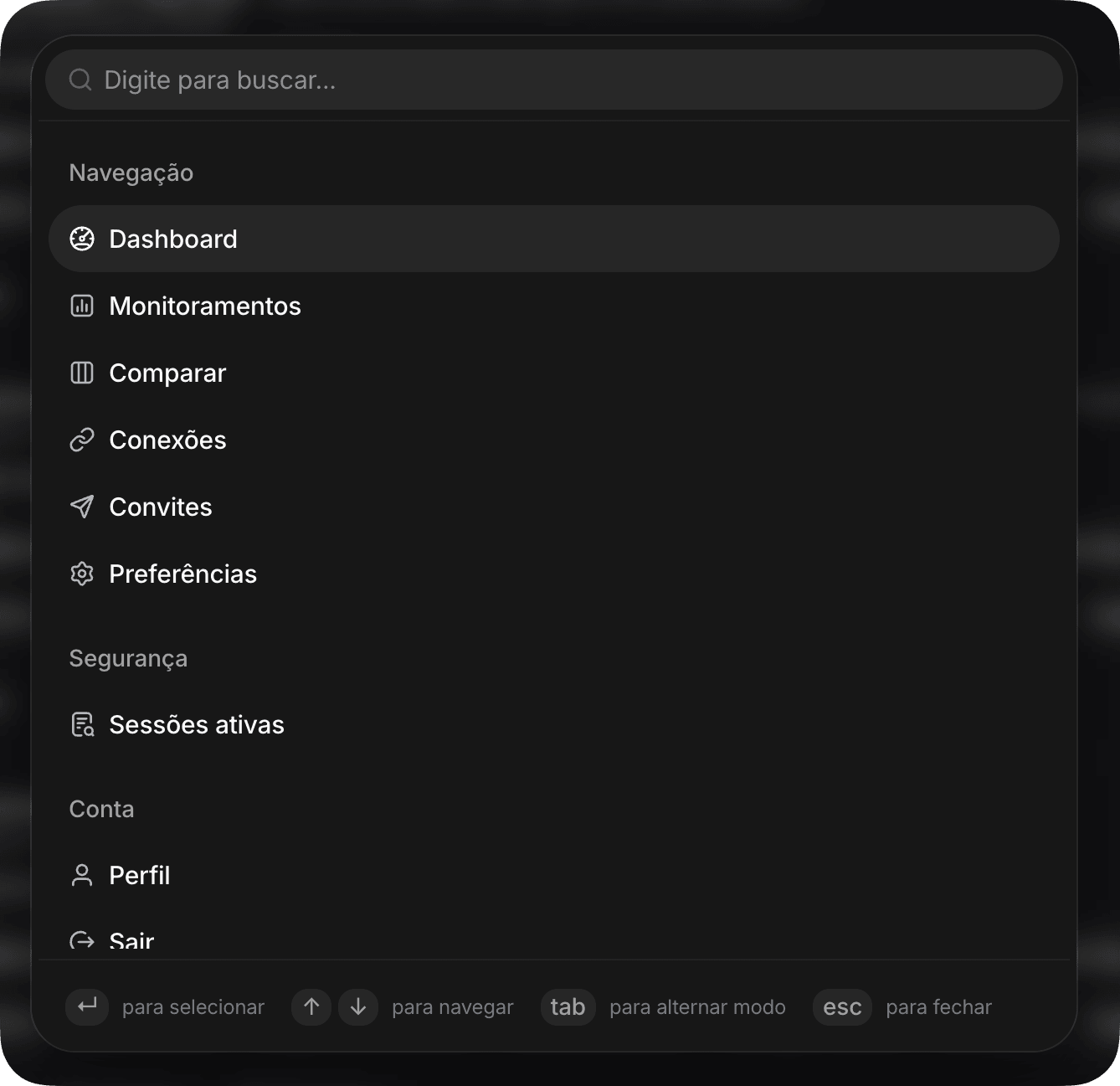
The palette brings navigation, settings, and account actions together in one place. Type to filter or use the arrow keys to move around, without taking your hands off the keyboard.
Ask the assistant without leaving the page
Inside a monitor, press Tab to switch to question mode. Type your question, press Enter, and get an answer right in the palette, no need to open the Assistant screen.
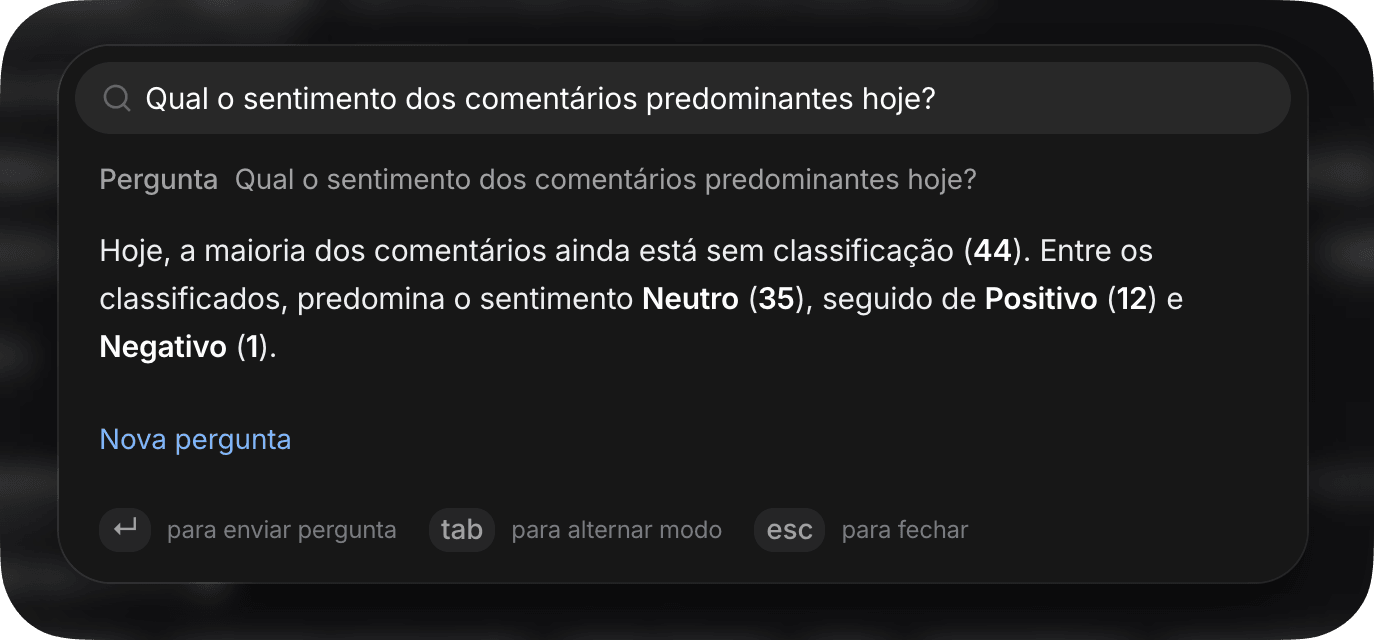
Click New question to clear it and ask another one. Press Tab again to go back to command mode.