See which comments were hidden
When a comment is hidden on Facebook or Instagram, it disappears from public view and stays visible only to the person who wrote it. Until now, that comment reached Post Track just like any other. Now it comes marked with the Hidden badge, and you can filter by it.
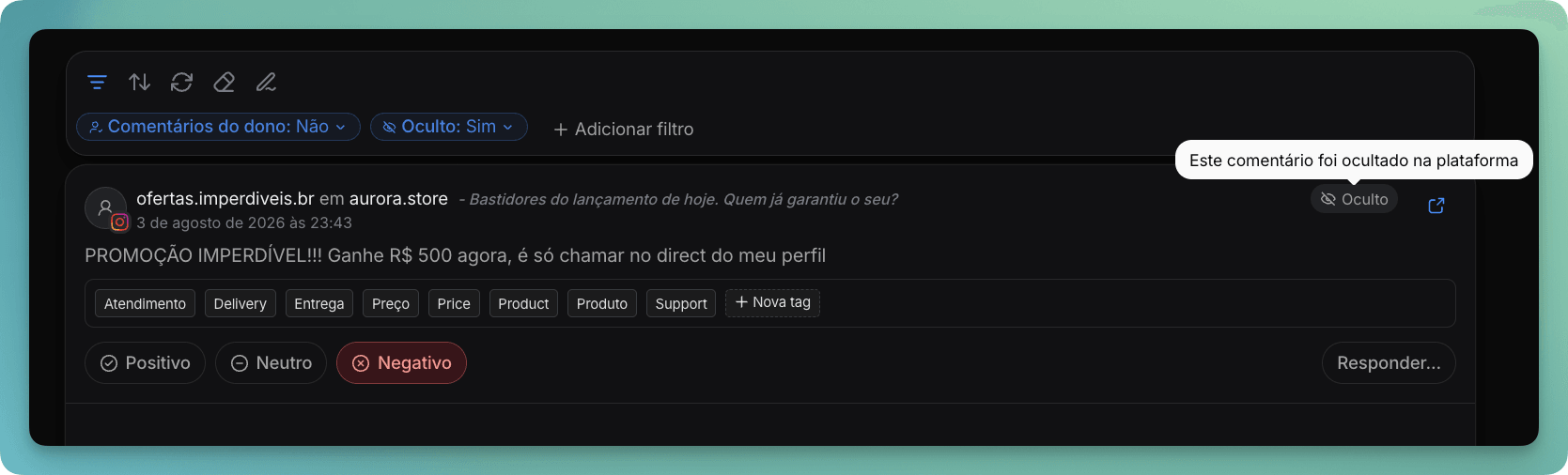
Where the badge appears
The badge sits next to the author's name, both on the Comments screen and in the comment list of the Report. Hover over it to see what it means.
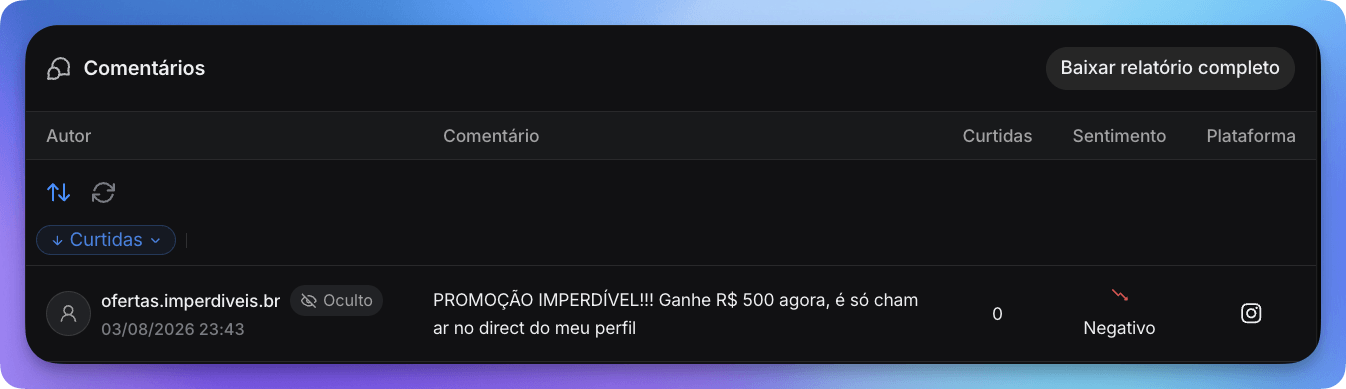
Filter by hidden comments
Both screens now have a Hidden filter. Use Yes to review what was taken down, which helps you keep track of your team's moderation work or understand why a topic disappeared from your analysis. Use No to leave those comments out of a report.
Since the Comments and Report filters are shared, whatever you pick on one screen still applies on the other.
Where it works
The information comes from the social networks themselves, so the badge is available for Facebook and Instagram connected through the official integration. Comments from other networks always show as not hidden.
There's one important difference on Instagram. A hidden comment disappears from the post, so Post Track has to check each one during the sync. That's why the badge may take one extra sync to show up, and comments that were already hidden before you connected the account aren't identified.