Post Track on iPhone
Post Track now has an iPhone app, free on the App Store. You can follow the comments on your monitors, get alerts right away and chat with the assistant when you're away from your computer, with the same account and the same data you already use on the web.
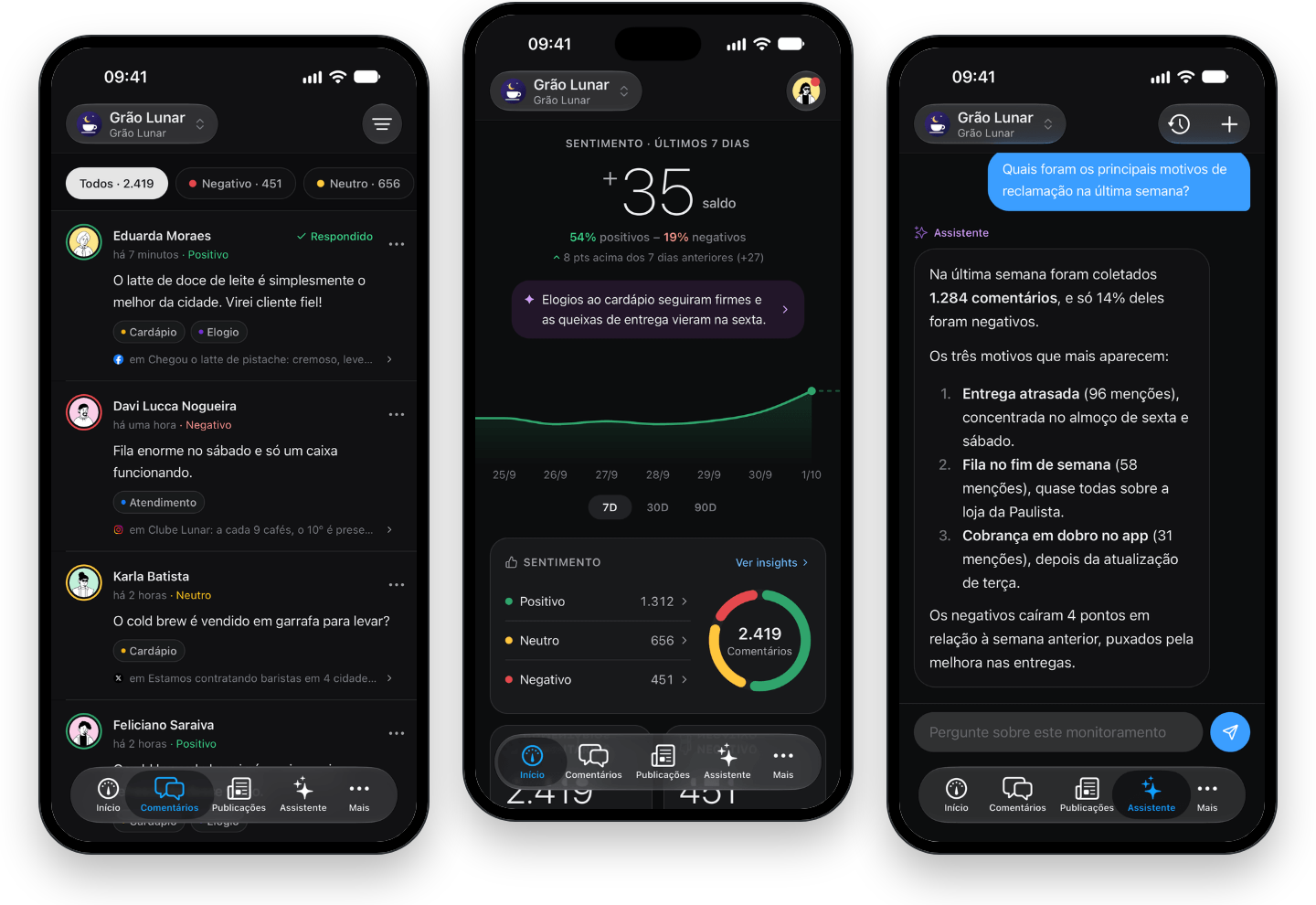

Getting started
Download the app and sign in with your account, using Apple, Google or email. The monitors you already follow on the web show up in the app, including the TikTok, X and YouTube ones. If you don't have one yet, the app walks you through creating it. You connect your Facebook account, choose your pages and Instagram profile, and collection starts within minutes.
What you'll find in the app
- Home: your sentiment balance for the last 7, 30 or 90 days, how it compares with the previous period and a summary of what changed.
- Comments: every comment with its sentiment and tags, filters by period, network, sentiment and tag, and one tap to correct the sentiment when you disagree.
- Publications: search the collected posts and sort them by most recent, most comments or most engagement.
- Assistant: ask what changed this week or why sentiment dropped, and get an answer based on your monitor's data.
- Insights: the daily comment volume for each topic, the topics getting more or fewer complaints and the terms that come up most, with the comments they were said in.
Alerts on your phone
Monitor rules with the Notify action now reach your iPhone. When a comment that matches the rule comes in, such as a negative one or one with a specific tag, you get an alert, and one tap takes you straight to the monitor. Account notices, like an account that needs to be reconnected, arrive there too.
Home Screen widget
Add the Post Track widget to your Home Screen to see your sentiment balance for the last 7 days and the curve for the period without opening the app.
Your account, in the app too
Invitations, members, two-factor authentication, active sessions and account deletion are available in the app, under the same rules as on the web.